Use MBR disk in ESXi 5
From ESXi 5.0, if you install ESXi to a empty hard disk, the target disk will be prepared with GPT-based partitions. That may cause some boot delay or even boot problem in some desktop motherboards.
Fortunately, you can use MBR mode instead of GPT.
Step:
1 Make a clean hard disk for ESXi. You can use any method to delete all partitions on that disk.
2 Boot with ESXi CD. During initial installation step, press Shift-O (letter, not number zero) when prompted (right down corner).
3 Type a space and "formatwithmbr" (without quotation marks). Press enter.
4 Go on setup. ESXi will make the target disk prepared with MBR-based partitions instead of GPT.
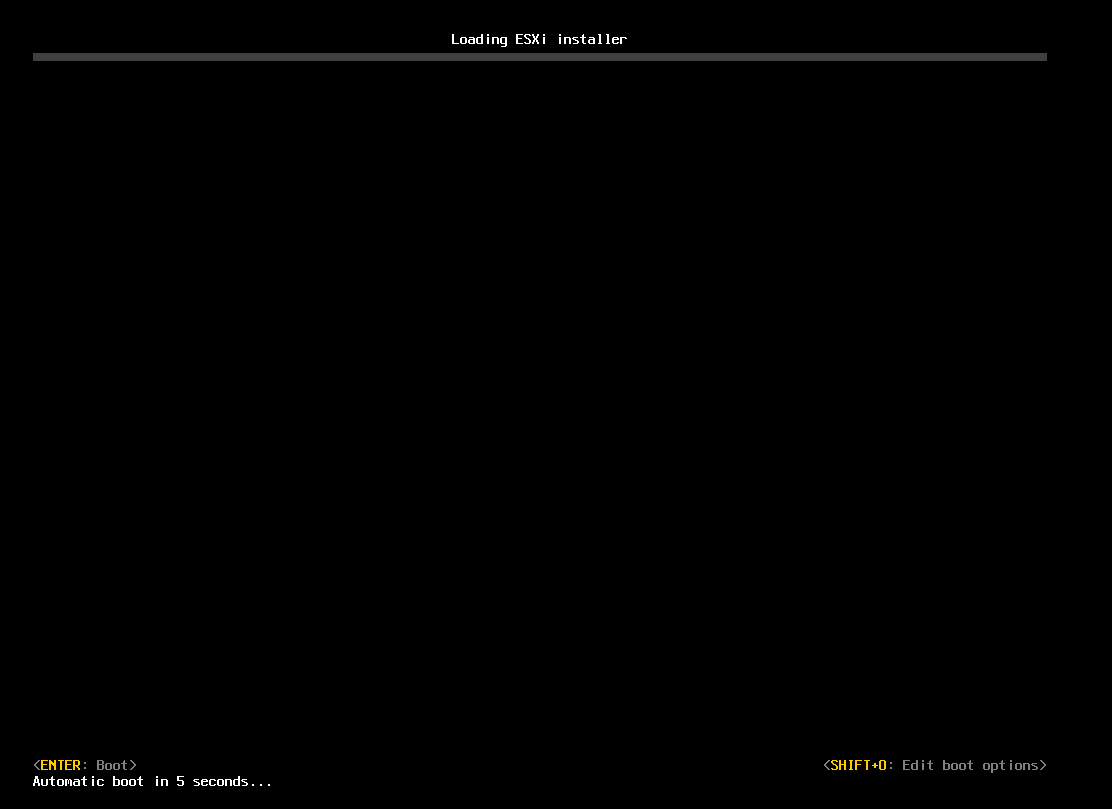
i don't find option Shift-O!!!
Check the right down corner of the picture above.
Thanks a billion! Works perfect even without erasing HDD before installation!
Thanks for your information.
Thank you...
the option should be "runweasel formatwithmbr"
runweasel is predefined and you don't need to touch it.
Hi,
I have lost my MBR after update from version 5.0 to 5.1 Now start is only possible by using Install CD with "boot from disk"-option. The updated system (5.1.1) works fine and I don't want to reinstall it completely via this option (Shift-O). Is any other possibility to repair of MBR only?
Thank you in advance.
This may help: http://support.microsoft.com/kb/69013
MBR is OS independent, except the text displayed while OS missing.
Or, try this to copy a MBR from another server running ESXi: https://wiki.archlinux.org/index.php/Master_Boot_Record#Backup_and_restoration
Hm - tried it quite several times - everytime after 10% of the installation progress, the installation fails with an error message:
"
Unable to successfully execute 'retryWrites' after 3 tries.
Installation cannot continue
"
Any ideas?
Try to install on another hard drive.
I got the same error. I re-formatted with the HP USB Disk Storage FOrmatter, and then formatted it AGAIN with Rufus (check sourceforge) and ran the 2 pass pattern verification, which passed. Tried to install again, and went smoothly. Best of luck.
Another possible reason is: you're using a CDRW for installation media. Try to use CD-R or network boot instead.
I dont know the reason. Actually, I never succeeded install ESXi from CDRW media. I know all data is correct. Even trying to install with one CDR copied from this CDRW is successful.
and if it dosent work what does it mean?
GPT is not supported by all motherboards. In some case, have to use MBR.