
IIS FTP Bug on Listing Virtual Directories
Some virtual directories are added to my FTP server. But even virtual directories listing option is enabled, these folder still not been seen.
I can use CWD to go into that virtual folder, but cannot see it.
I've tried to restart IIS and the whole server.
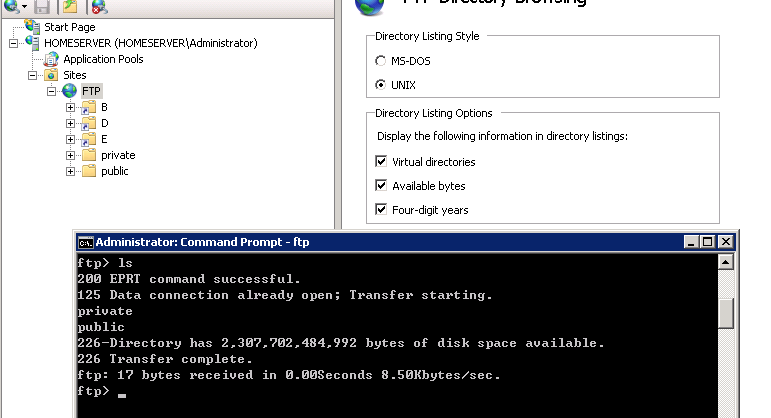
This is not a bug. To make your virtual directories visible try the following. Create empty folders under your ftproot directory with exact the same name as you has chosen for your virtual directories.
What's happen:
1. You will see the directories
2. You can CD into a directory and will be inside your virtual one.
Thanks for the tipp "Use MBR disk in ESXi 5"!
Daniel
Thanks.
I've tried that. But after the virtual directory added, the original and the virtual one will not be displayed.